You can find the latest source code on Github and download the latest compiled firmware here.
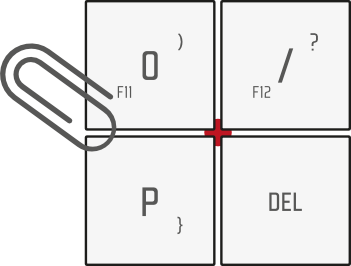
To flash the firmware on your GK6, you will need to put the board in bootloader mode by pressing the reset button (located between the four keys on the top right corner of the board) and using either QMK Toolbox, or your tool of choice.
We recommend following the official QMK guide if you are not familiar with the flashing operation.
Layout Customization
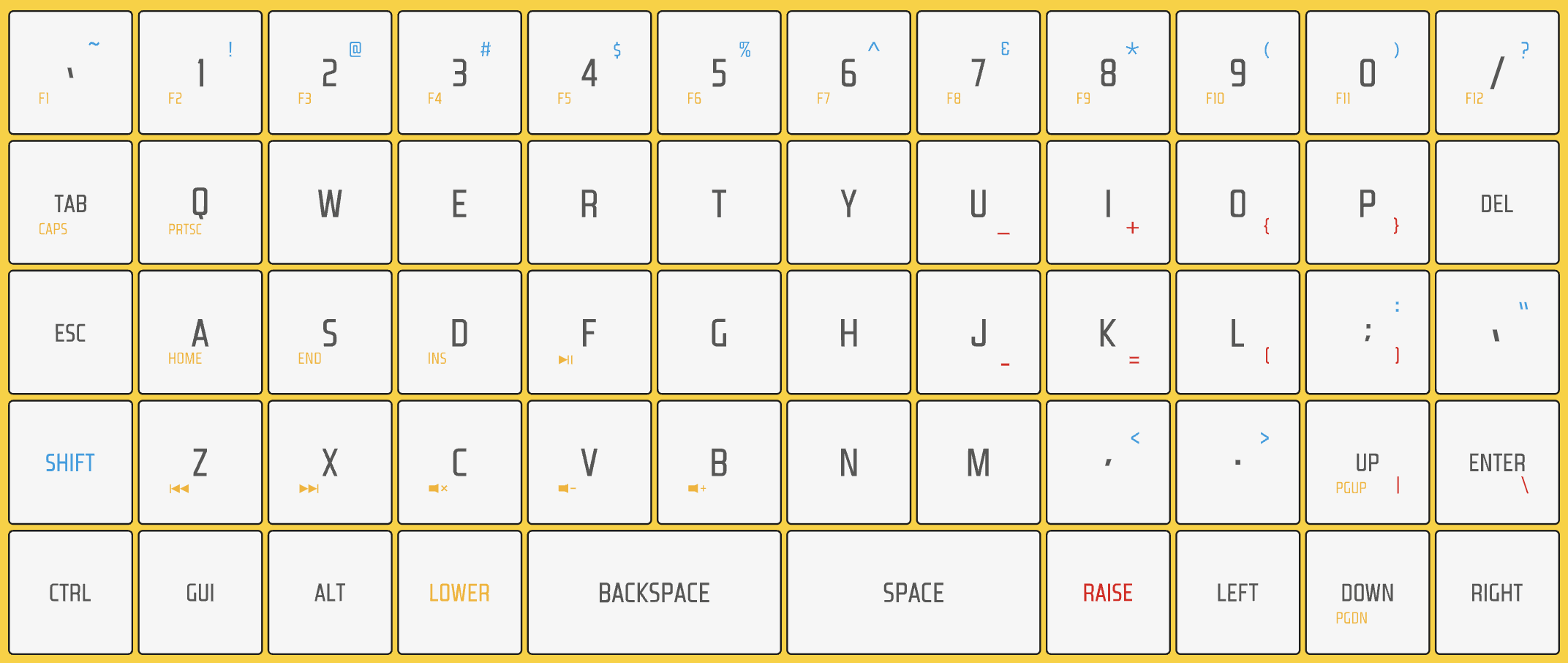
The simplest way to customize the layout is using Viaor Remap. All you need to do is to make sure you have the latest Via enabled firmware flashed.